


GreenLight Upload menu overview
GreenLight connects with MasterPlan to securely share spreads and covers online
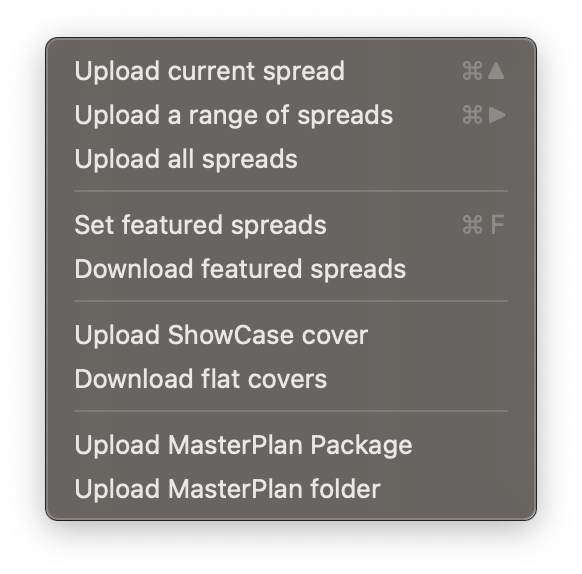
Note: These commands require a connection to MasterPlan. For more info see Connecting GreenLight to a MasterPlan Client.
Upload current spread / range of spreads / all spreads
Upload the specified InDesign spread(s) to the MasterPlan job connected in the GreenLight Info panel
Set featured spreads
Choosing the spreads that best represent the book in BookSite presentations
Download featured spreads
Quickly download high quality JPEGs of the featured spreads for any MasterPlan job for manual upload to Biblio
Upload ShowCase cover
GreenLight created cover artwork is able to take advatage of Circular Software's ShowCase – a unique, interactive, 3D simulation of the cover, showing off designs and special finishes.
Upload flat cover
For users without BookSite only, upload a front cover JPEG to MasterPlan
Download flat covers
For BookSite users only, quickly download mulitple high quality JPEGs of covers from Biblio
Upload MasterPlan Package / folder
Upload a MasterPlan package or folder (containing text for search, thumbnail graphics, and PDF / EPUB) previously exported from GreenLight or CircularFLO


