


Correct layer naming and structure (WIP)
This check is making sure that layers used in InDesign are matching the layout structure for the Work in Progress (WIP) stage.
Layers are an important method of separating different objects on the InDesign page and can be used for splitting text which changes with different languages from common images in a co-edition print run.
Layers can also be a useful feature when a file is still a Work in Progress (WIP) on to orgainse work, and quickly try different design ideas.
We can be more relaxed with the naming, ordering and number of layers we use in WIP but it is still important to use the CMYK and TEXT layers correctly to prevent issues later on.
Files for final Print PDF exports have a different GreenLight check.
Layering for Work in progress (WIP)
This GreenLight check will flag important structural layering as the WIP stage
- TEXT layer(s) are named with a valid language code
- TEXT layer names match the language in the file name
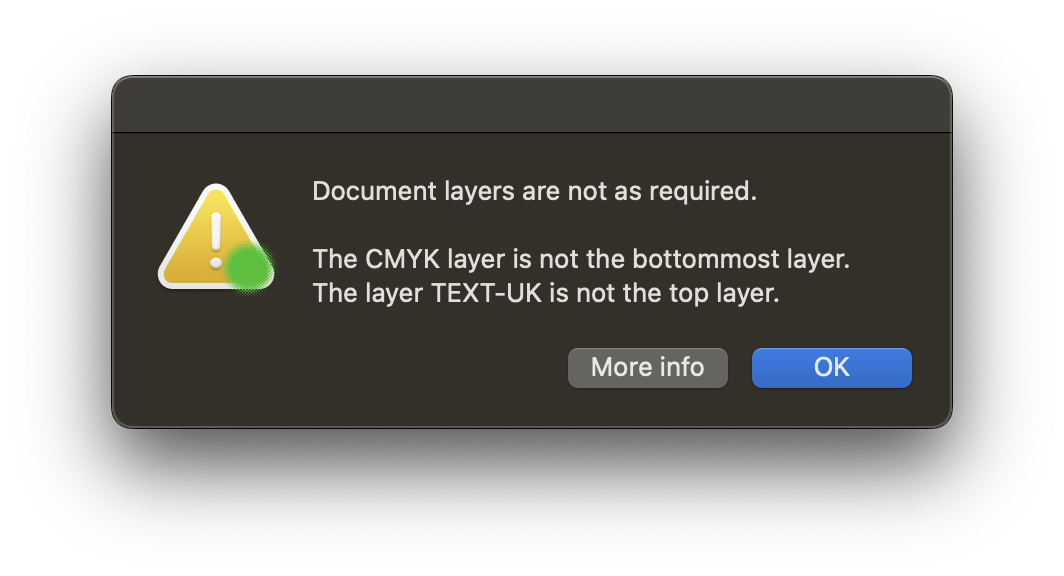
- TEXT layer(s) are the topmost layer
- The CMYK layer (if present) is the bottommost layer
Layering for Final Files for inside pages
The full list of layers that are expected and allowed in final files are different for covers / jacket files and inside pages are as follows:
Choose InDesign Window menu >Layers to see the current setup for your document in the Layers panel.

TEXT
All objects that are able to edited, moved or removed by a translator. Usually text objects but can also contain annotation lines, tint panels, text wrap objects.
The full name of the translation layer contains the language being used. e.g.
TEXT-UK - International English
TEXT-US - Americanized English
TEXT-SPA - Spanish
TEXT-GER - German
Typically only one text layer is included in an InDesign document but it is possible to have multiple text layers if required.
CMYK
This layer contains images that are consistent between each translation.
This layer can contain any combination of colour objects and placed images and may include transparency effects and blending.
It should not contain any translatable text, lines of text wrap areas.
The common images layer is named ‘CMYK’ and is the bottommost layer in the layers panel
GUIDES
One or more layers with names starting with the word GUIDES can be added if required whilst a document is work in progress or final. Anything added to a guides layer is not typically included when creating final PDF files. If required, a PDF of the guides layers present in a document can be chosen by choosing to output specific layers.
Guides layers are included when preparing translation material.
Guides layers that remain in the final InDesign documents are included in archive file sets.
NOTES
One or more layers with names starting with the word NOTES can be added if required whilst a document is work in progress or final. Anything added to a NOTES layer is not included when creating final PDF files or translation material.
Therefore it is important to be sure that the notes layer does not contain any objects intended for print.
Notes that remain in the final InDesign documents are included in archive file sets.
More info
Additional GreenLight checks are available for final files and covers.


